Furniture Workshop Builder Game

Nice Ember Games
1706803200
2026-07-04
1 Player Single Player

Reviews

This game offers a calm and rewarding experience for players who enjoy creative management. The crafting loop is simple but engaging, with clear upgrades that make progress feel steady. The visual transformation from a small workshop to a polished store is motivating. It is ideal for casual play without time pressure.

About This Game

Game Introduction

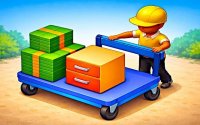
Welcome to the Furniture Workshop Builder Game, a single-player experience where you build and manage your own furniture workshop. Starting from a small workshop, your goal is to collect raw materials, craft furniture pieces, and expand your showroom. The game combines crafting and management elements, offering a relaxing progression system. As you grow, your workshop transforms into a polished store, providing a satisfying sense of achievement. This game is ideal for players who enjoy creative themes and steady, goal-oriented gameplay without time pressure.

How to Play

In this game, you control a character who moves around the workshop to perform various tasks. On PC, use the W, A, S, D keys to move; on mobile, use the virtual joystick. To purchase new workers, factories, or display stands, walk onto marked squares with a banknote icon. Once in the purchase zone, you can spend in-game currency to instantly expand your production capabilities. The core loop involves collecting materials, processing them into parts, and crafting furniture for display. Managing your workflow efficiently is key to steady progress.

Game Features

This game offers a range of features centered on crafting and expansion. You can unlock new production stations as you progress, hire workers to handle repetitive tasks, and expand your showroom with additional display stands. The game provides a clear upgrade loop where each improvement enhances your speed and efficiency. The visual transformation from a small workshop to a polished showroom adds to the motivation. The game rewards steady progress and planning, making it a relaxing idle experience with clear goals.

Tips for Success

To progress efficiently, prioritize upgrading your production capabilities early on, as faster crafting yields better returns than cosmetic expansion. Hire workers as soon as you have the funds, as they automate tasks and allow you to focus on higher-level management. Keep a balanced workflow by ensuring that resource collection and processing are synchronized to avoid idle machines. Regularly check your workshop layout to optimize movement and minimize downtime. Finally, invest in new stations and display stands when your production is stable to maintain steady growth.


Compatibility

๐Ÿ’ป Desktop | ๐Ÿ“ฑ Mobile | ๐Ÿ“Ÿ Tablet
โ€“ All supported ยท Best with Chrome or Safari

Faq

Can I play this game offline?
The game is a single-player experience, so it may be playable offline depending on the platform. Check the specific store page for offline mode details. Typically, single-player crafting games do not require an internet connection after initial download.
Is there a time limit or timer in the game?
No, the game is designed as a relaxing experience without time pressure. You can progress at your own pace, focusing on crafting and management without worrying about timers or deadlines. This makes it suitable for casual play sessions.
What platforms is the game available on?
Based on the game type, it may be available on PC and mobile devices. The controls include keyboard for PC and virtual joystick for mobile, suggesting cross-platform support. Check official app stores or game websites for exact availability.
Does the game have any in-app purchases?
The game uses in-game currency for purchases like workers and display stands. Whether this currency can be bought with real money depends on the version. Some games offer optional purchases for faster progression, but this is not confirmed for this title.
Can I customize my workshop's appearance?
Yes, the game includes visual transformation as you expand your showroom. You can add display stands and upgrade stations, which likely changes the look of your workshop. However, specific customization options like colors or decorations are not detailed in the description.
Is there a tutorial to help new players start?
The game is designed with a clear progression system that naturally guides players. While a formal tutorial is not mentioned, the core loop of collecting, crafting, and expanding is straightforward. New players can learn by experimenting with the controls and following on-screen prompts.

Similar Games

Comments

0 comments
U
User
Loading comments...